
WordPress plugins
Make the public plugin surface match the release.
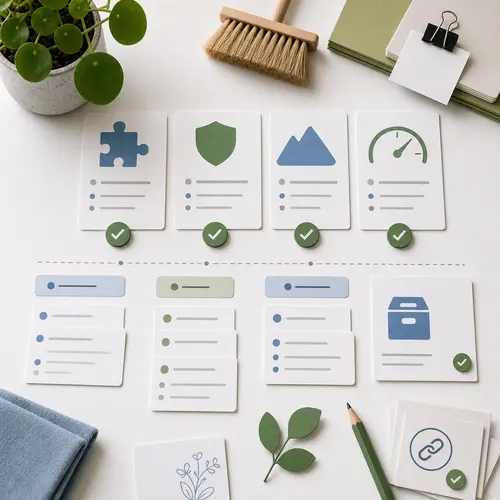
A plugin page is only useful when it matches the real release.
The page, package, and next action should agree.
Devenia’s free WordPress plugin pages should keep public descriptions, download links, repository state, and release assets aligned with the current release.
The plugins are not the only part that needs maintenance. Pages around them must not carry old counts, claims, or links that make a maintained plugin look confusing or stale.
The reader question
Current plugin
Current scope
Next inspection
What the cleanup had to fix
Make release truth, page truth, and stack clarity easy to verify.
This is more than version bumps. A public plugin surface must make release state, plugin purpose, and the next action easy to verify.
Release truth
ZIP files, GitHub releases, staging copies, and version numbers must match.
Page truth
Plugin pages need current descriptions, scope, and release links.
Stack clarity
Group MCP and WordPress add-ons so site owners can see what fits.
Old plugin copy creates quiet risk
Stale public pages can mislead without looking broken.
A page can look polished and still mislead people if it describes an older version, an older feature set, or an older release route.
This is the most misleading kind of plugin-page drift. The page looks fine, but readers decide from facts that are no longer current.
What stale public pages can get wrong
Old download links
Outdated feature scope
Missing ecosystem context
Abandoned impression
Harder installation choices
What changed
Bring public pages, repositories, release assets, and descriptions back into alignment.
The public pages, repositories, release assets, and plugin descriptions now align.
Release packages
Repository hygiene
Plugin pages
MCP add-ons
Core plugin scope
Plain, current plugin pages are more useful than polished pages with old facts.
The plugin stack is easier to inspect now
Give site owners a shorter path from overview to release.
A clear public surface makes current Devenia plugin work easier to follow from the overview to individual pages and releases.
What visitors can verify
Main overview descriptions and updated release links for maintained public plugins. Clearer scope on MCP Expose Abilities and URL Change Lockdown.
What maintainers can trust
Release assets should match the staged package. Repository state should reflect what people download. The public plugin surface should stay maintainable as add-ons change.
A better path for checking a Devenia plugin
Start with current public information.
The cleaned pages should make the first inspection path short and predictable.
That keeps plugin selection tied to current public information instead of old cached assumptions.
Frequently asked questions
What changed and how should a site choose?
Why update plugin pages after the releases are already fixed?
Because people often make installation decisions from the page they read, not from repository history. The public page has to match the real release state.
Does this mean every WordPress site should install every Devenia plugin?
No. The cleanup makes the plugin surface clearer so each site can choose the plugins and add-ons that match its actual stack.
What is the safest way to check a plugin before using it?
Read the current plugin page, follow the current release link, and confirm that the plugin scope matches the WordPress job you need.
Keep the public surface current
Maintenance is not finished until the page tells the same truth as the release.
A clean release with stale public copy still creates confusion. The goal is for the package, the repository, and the plugin page to point in the same direction.
Review the public plugin surface whenever the maintained stack changes.