
Edit the page. Keep its address.
Changing a headline should not move a page that customers have bookmarked. URL Change Lockdown keeps established WordPress addresses stable during routine edits and gives intentional moves a separate, confirmed process.
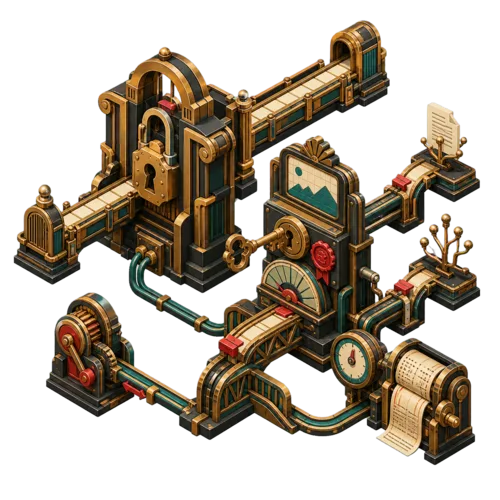
A fresh page can keep the same front door
Your service page is at
/services/bike-repair/. You improve its title, replace the photographs and update the prices. Its existing address should still take customers to that page.The plugin preserves published post and page slugs and their protected parent relationships during ordinary WordPress saves. The same controls apply when an import or another tool makes the update.

The illustration shows the distinction: change what visitors find, while keeping the address they use to reach it.
What stays fixed—and what you can still edit
Protection works at the WordPress write hooks, so using a different editing screen does not bypass it.
Published addresses and route settings
Existing public post, page and taxonomy slugs stay fixed, along with protected parent relationships. Ordinary changes to the permalink structure, category base and tag base are also blocked. These settings can move many addresses at once.
Content, buttons and custom fields
You can still change titles, body text, images, button destinations and custom-field values. The plugin protects an object’s own address; it does not inspect or repair every link inside its content.
When a move is worth making, preview it first
A shorter address is not automatically a better reason to move an established page. When you do need a change, review the destination and every affected child page before confirming it.
1. Inspect the current routes
Use the read-only audit to compare recorded addresses with current WordPress routes. Request a migration preview for the post, page or taxonomy term you intend to change.
2. Review the whole move
Compare the old and proposed addresses, including affected descendants. Moving
/services/ can also move pages below it. Supply a concrete reason and the confirmation returned by that exact preview.3. Apply the confirmed change
Run the matching migration with redirect support available. The plugin creates permanent redirects and records the result. It attempts to restore the previous state if redirect creation fails; inspect any failure before proceeding.
4. Follow the old link
Open the old address and confirm that it reaches the intended page. Check the new address and affected child pages, then update links you control to point directly to the destination.
Install the protection; add redirects for migrations
Requires WordPress 6.9 or later and PHP 7.4 or later. Basic route protection works without Rank Math. Migrations need Rank Math’s redirect support, or a developer integration that supplies the plugin’s redirect filter. Add an MCP bridge only if you want to call the WordPress abilities from an MCP client.
Keep intentional moves in authorised hands
The nine management abilities require the WordPress
manage_options permission. They cover audits, previews, migrations and retiring a duplicate page to an existing page. Routing integrations must apply and verify their own configuration changes. The plugin does not prevent direct database edits or changes made by code outside normal WordPress writes.
Keep the links your visitors already use
Install URL Change Lockdown, continue editing your content and use its audit to check established routes. Preview a move when the address itself needs to change.