
Find the right plugin for your WordPress task
Free WordPress plugins for content, integrations and site maintenance.
Start with the task
Browse plugins by WordPress task
Choose a category to see its plugins. Open a product page to check what it does, what it needs and how to set it up.

Devenia MCP Updater
Enable unattended updates for every WordPress plugin. Listed plugins use Devenia’s signed package channel; other plugins keep their own update providers.

MCP Abilities – Brevo
Manage Brevo contacts, language lists, forms and email through WordPress and MCP. See what to check before a change or a send.
MCP Abilities – Filesystem
Read a WordPress file, make a defined change, and inspect the result through MCP. Eleven administrator abilities with file, content, and backup checks.

MCP Abilities – Google Workspace
Give different AI assistants one shared connection to your Workspace mailbox. Find messages, summarise conversations and send replies without rebuilding the Gmail integration.
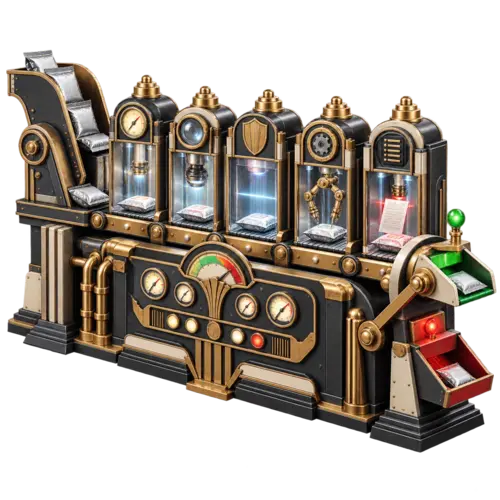
MCP Abilities – Check Runner: understand the result before release
Run official Plugin Check from your MCP client and distinguish a scheduled check, a completed inspection and a clean result before releasing a plugin.
MCP Expose Abilities
Give an authenticated AI assistant WordPress tools to correct content, organise media, update menus and inspect the site.
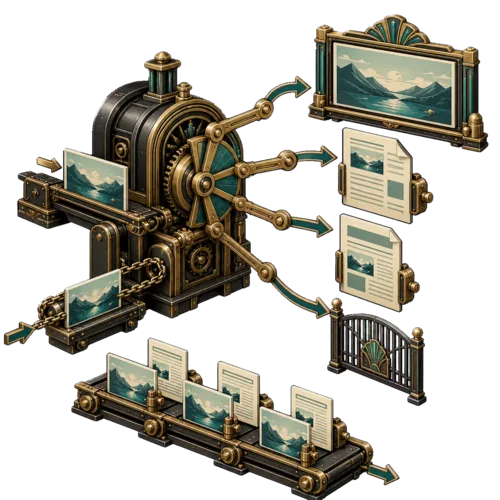
Clickable Featured Image
Let a featured image open the larger photo or the article behind a thumbnail. Choose separate link rules for single posts and Query Loops.
Content Demand: find questions your site search could not answer
Review WordPress searches with no results, check whether the answer already exists, and record the next editorial action.

Devenia Autoposter for LinkedIn
Share WordPress posts to a LinkedIn profile, company page, or both. Select languages for each destination, choose images, and check the recorded results.
Devenia Canonical Shortlinks
Use the current permalink when WordPress generates a shortlink for a post or page. No settings, redirect rules or external shortening service.

Devenia Social Sharing
Sharing buttons that run locally on your WordPress site, without fetching external resources. A fork created for multilingual sharing.

MCP Abilities – Broken Link Checker
Find the pages behind a broken-link report and preview a verified replacement. Learn why clearing the queue does not repair the link.

MCP Abilities – Rank Math
Find SEO work that needs attention, update Rank Math metadata and create selected redirects through an authenticated MCP assistant.

MCP Abilities – Open User Map
Let your AI assistant correct a map pin or move an existing location to its new address. Keep the same Open User Map entry and its saved details.
MCP Abilities – Store Locator
Help customers reach the right entrance. Maintain branch addresses, map coordinates, contact details and categories in WP Store Locator with an AI assistant.
Devenia Revision Retention
Keep recent WordPress revisions and selected older reference points. Preview each cleanup batch and choose the history your editors need.

Devenia Speed Optimization
Find oversized WordPress media, check its real page use and replace it with a smaller file after review. Free local diagnostics with backup and restore.
MCP Abilities – Cache Enabler
Published a change but still seeing the old page? Inspect Cache Enabler, clear the relevant cached copy and check the result as a visitor.
MCP Abilities – Wordfence
Let your AI assistant investigate login lockouts, follow scans and review Wordfence traffic, then carry out the selected action.

MCP Abilities – Cloudflare: find the stale copy before you purge
Find which cached copy is stale, inspect the connected Cloudflare zone and choose the right purge scope. Check the actual page after the purge succeeds.
MCP Abilities – Site Migration Bridge
Run confirmed native site exports and imports through seven administrator-only WordPress abilities. Read saved results and verify backup scope.

MCP Database: inspect WordPress data before changing it
Inspect WordPress storage, indexes and options, then preview a focused maintenance action and verify what changed.

Static Publication: edit in WordPress, publish a static site
Publish completed WordPress pages to Cloudflare Pages. Check requirements, dynamic features and the first verified delivery.
URL Change Lockdown
Keep published WordPress addresses stable during routine edits. Preview intentional URL changes, review affected pages and preserve old links with permanent redirects.
Frontend Text Edit
Correct supported WordPress text where readers see it, then save it back to the original blocks.
MCP Abilities – Block Editor
Read the page as blocks, find where shared patterns are used, and prepare a specific edit with your AI client.

MCP Abilities – Formidable
Find where a Formidable form is used, inspect its fields and make a defined change through MCP. Fifteen abilities for forms, actions, styles and settings.

MCP Abilities – GeneratePress
Let your AI assistant inspect and update native GeneratePress settings, Elements and GenerateBlocks Global Styles, then check the result across the pages that use them.

MCP Abilities – Polylang
Find missing language versions, connect matching pages and prepare fresh translated drafts through an authenticated MCP assistant.

MCP Abilities – Toolset
Let an AI assistant maintain your Toolset course catalogue or directory: find records, update field values and connect related content in WordPress.

MCP Abilities – SitePress
Find missing WPML translations, reuse existing drafts and repair links that send visitors back to the source language with MCP Abilities – SitePress.

MCP Abilities for WooCommerce
Let your AI assistant help with WooCommerce products, variants, stock, orders, refunds and shop settings. Start with one clear task and verify the saved result.
MCP Elementor: fix the setting behind the page problem
Inspect Elementor widgets, containers, shared styles and templates. Choose the right scope for a repair and verify the page after saving.

Replace a WordPress media file without starting again
Correct an existing image or document, keep its attachment and check every shared use. Learn when replacement is the right choice.
Before installation
Compare the plugin’s WordPress and PHP requirements with your site. Check whether it needs another plugin or an external account, and whether your site already has the feature. Test on a staging copy and keep a current backup before changing the live site.
Get the feature. Skip unnecessary plugins.
Describe the task and your WordPress setup. We’ll help you choose a plugin—or find the function you already have.