
Keep a useful editing history
Devenia Revision Retention: keep recent edits and older reference points
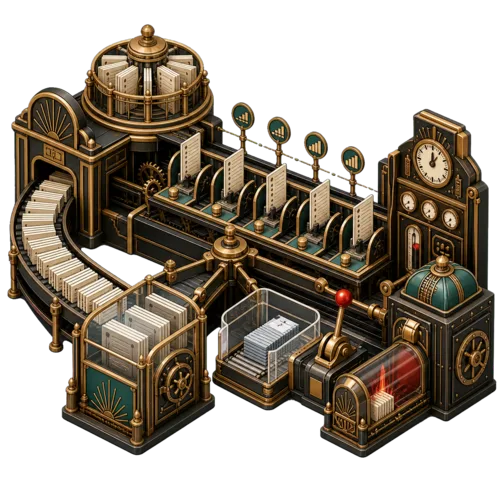
Today’s edits and last month’s missing paragraph
Recent revisions help undo a new mistake. An older version may hold a paragraph removed weeks ago. Keeping only the newest edits can leave you without that older reference point.
The default keeps the latest 10 revisions plus the available revision nearest each age target: 7, 14, 21, 28 and 70 days. Targets can select the same revision, so this means up to 15 distinct versions, depending on the history available.

The grouped sheets represent recent edits; spaced sheets represent older reference points. This is a concept illustration, not an exact revision count.
Choose the history your editors need
Open Tools > Revision Retention. Disable automatic cleanup and save while you assess the policy. These settings determine what later runs can delete.
Recent revisions and age targets
Choose how many recent versions to keep and which older ages matter. Ten revisions may span minutes on a busy page or months on a quiet one. An age target selects the nearest available version, not a guaranteed snapshot from that day.
Post types and batch limits
Posts and pages are selected by default; other types must support revisions. Each run examines up to 100 parents and deletes up to 500 revisions by default. Later runs continue through the remaining parents and resume an unfinished one.
Automatic cleanup
The first event is scheduled about one hour after activation, then daily by default through WP-Cron. Actual execution depends on your cron setup and site traffic. Enabled runs permanently delete revisions without a new confirmation.
Preview the next batch before deletion
A dry-run reports totals without deleting revisions or advancing cleanup progress. It covers the next batch, not the whole site, and updates the last-run report.
1. Keep a database backup
Check important pages in WordPress revision history. If every edit from a period matters, a few older reference points may not be enough.
2. Review a dry-run
Select Run dry-run. Inspect revisions seen, kept and proposed for deletion. The report gives counts, not an item-by-item list.
3. Apply the policy
Tick the deletion confirmation and select Run cleanup now. If content or settings changed after the preview, preview again: cleanup recalculates its decisions.
4. Read the result
Check deletion counts, errors and whether the limit stopped the run. Keep the schedule enabled only when you want the same policy applied automatically.
Retention cannot replace a backup
Deleted revisions cannot be recovered by this plugin. It selects from history that still exists; it cannot bring back versions removed by WordPress, another plugin or an earlier cleanup.
Check the WordPress revision cap too
A separate revision cap may remove older versions before this policy sees them. Align it with your retention needs. The plugin manages revision history, not backups of your site.
Two actions for authorised automation
Both WordPress abilities require permission to manage site settings. External MCP access needs a separately configured adapter that exposes these abilities.
Read settings and status
revision-retention/get-settings accepts an empty object and returns the active settings, last-run report and next scheduled run.
Preview or run one batch
revision-retention/run defaults to a dry-run. Use dry_run: false only when permanent deletion is intended. Change policy settings in the native administration screen.
Before installation
Requires WordPress 6.9 or later and PHP 7.2 or later. Use a maintained PHP version supported by your site. Automatic runs require working WP-Cron execution.
Keep the history worth returning to
Download the plugin, review its enabled schedule and choose your retention policy. Back up the database and preview the next batch before cleanup.