
AI services
Put AI to work on the jobs that keep coming back.
Your team keeps rewriting replies, extracting the same details and moving information between tools. We help you choose one job, test it on representative examples and build a repeatable way to get it done.
Strategy, tool selection, integration and team training, built around work you already do.

From a delivery question to a reply worth sending
A customer asks to move a delivery. An AI draft can bring together the request and your current delivery policy. In this example, the policy requires checking availability before confirming a date.
The useful draft asks for the missing date and leaves the booking unchanged. A team member checks the reply and the available slot before anything is promised.
That gives us a task we can design and test: clear input, a useful draft and a defined point for review.
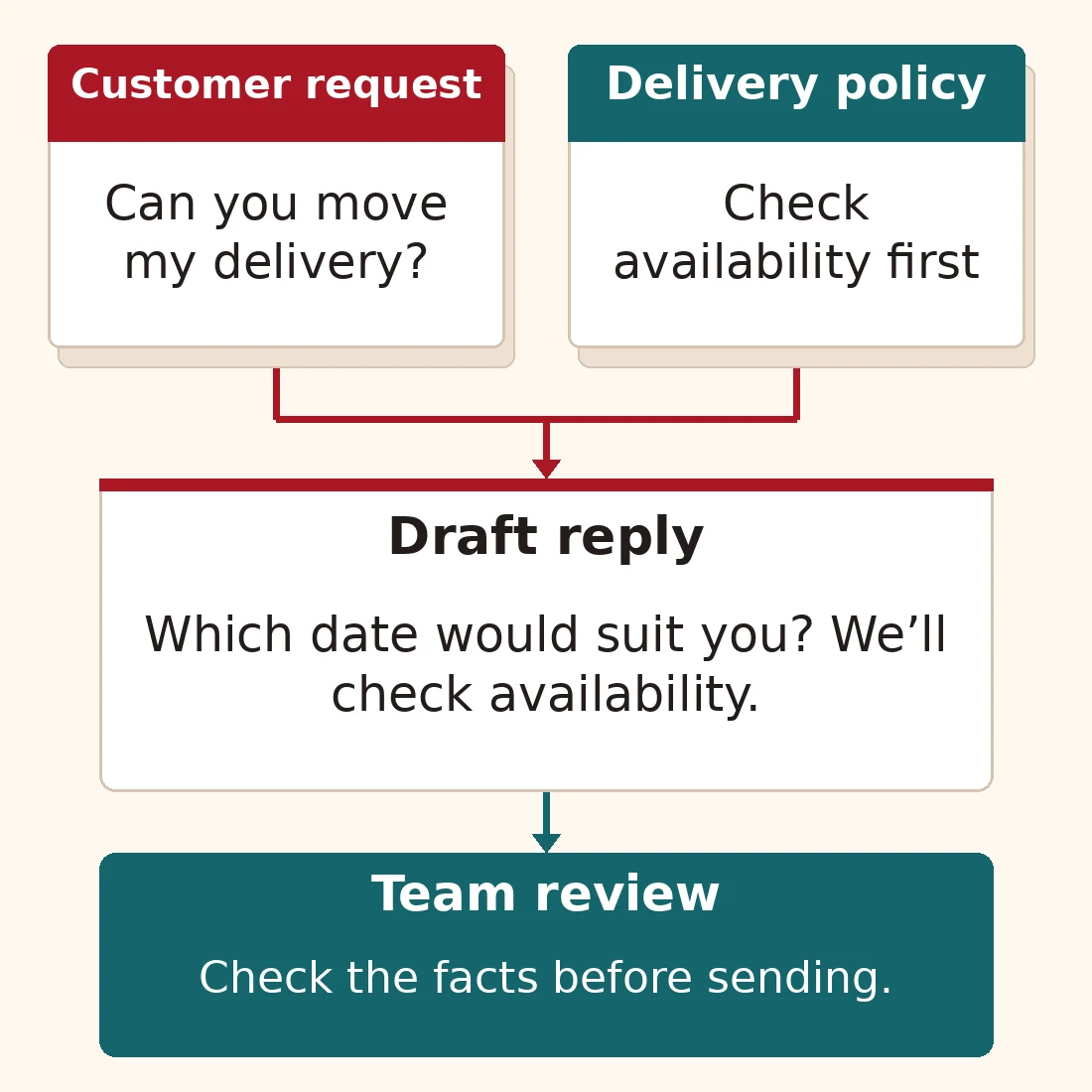
Illustrative example. The draft uses the policy and asks for missing information; the team controls what reaches the customer.
From a useful trial to work your team can repeat
We bring the task, tools and people together. Each stage answers a practical question before the next commitment.
1. Choose and test
Which recurring job is worth improving? We define the result, compare suitable tools on the same examples and check whether a simple template or fixed rule would be enough. You get a trial with clear acceptance criteria.
2. Connect and configure
Where does the input come from, and where should the result go? We set up the instructions, source material and connections, including what happens when information is missing. We agree which actions need a person’s approval.
3. Train and improve
Can the team use it in everyday work? We practise with your tasks, show people how to judge and correct the output, and record the workflow so it can be repeated and maintained.
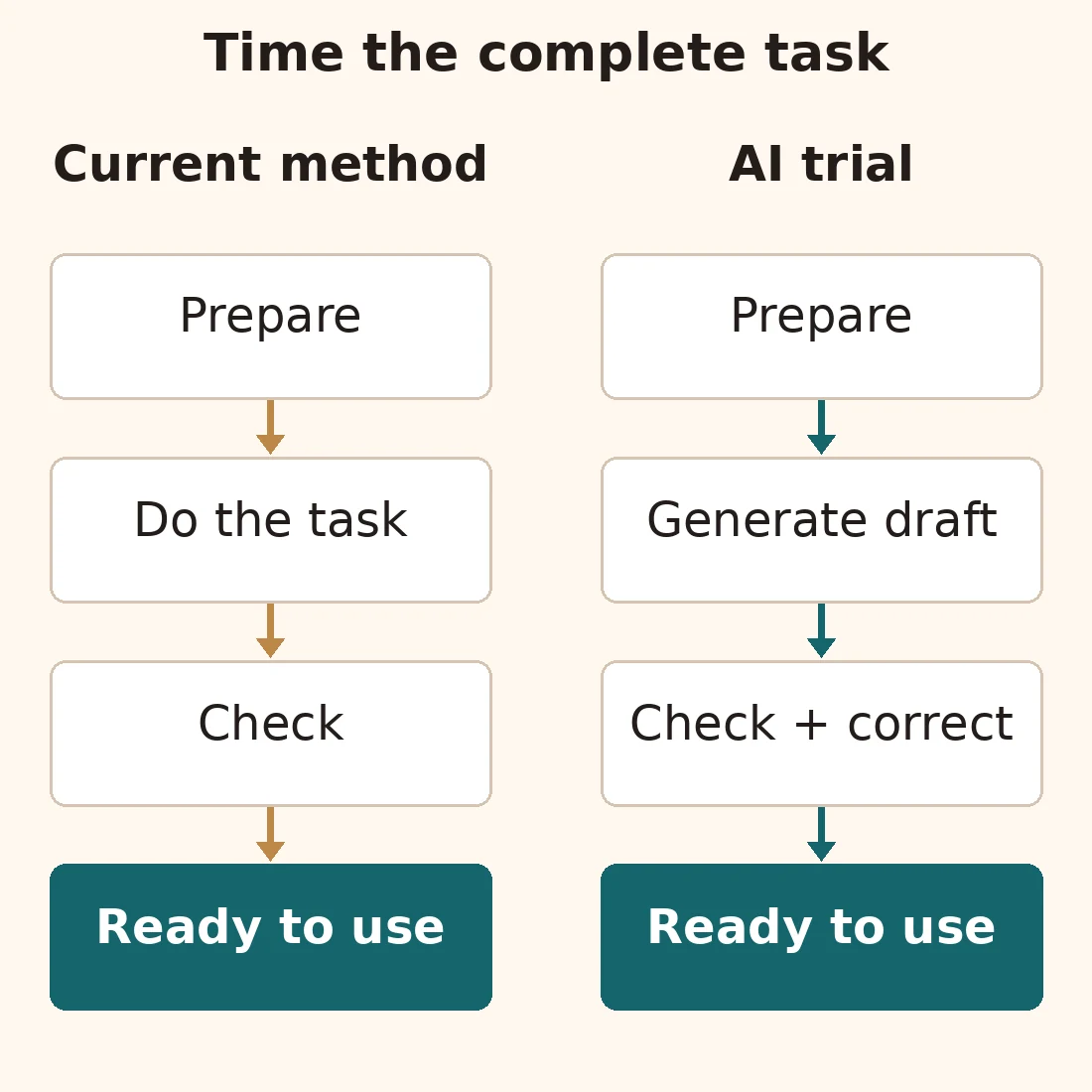
Compare the whole route to usable work. A short generation step does not establish a time saving.
Measure the time to a finished result
A fast draft can still take too long to fix. Compare your current method with the AI trial using the same tasks. Count preparing the input, running the tool, checking the result and making corrections.
Track factual mistakes and missing details alongside time. Include tool costs, setup and ongoing upkeep in the decision. Keep the workflow when the result meets your criteria and the overall effort makes sense.
Bring us a job you can recognise
These are starting points for a trial. Each pairs a useful first output with the check it needs.
Content operations
Produce: a draft product description from approved notes.
Check: specifications and benefits against those notes.
Customer support
Produce: a draft reply from a question and the relevant policy.
Check: eligibility, dates and promises before sending.
Data and research
Produce: a comparison of delivery dates from supplier documents.
Check: the source for each value, including missing or conflicting dates.
Creative production
Produce: illustration concepts for a page.
Check: that they explain the topic without inventing product features or misleading details.
Code and technical work
Produce: a proposed change for a specific software defect.
Check: the code and the action that previously failed.
Internal automation
Produce: incoming requests sorted into named categories.
Check: ambiguous cases and a sample of routine results before expanding.
Before you connect company tools
How should we handle company data?
Use fictional examples for the first trial. Before connecting company data, agree what the tool may access and who may see the results. Check the provider’s current terms and the actual account settings for retention and use of data in model training. Set permissions in the connected systems as well as instructions for the task.
Can this work with our existing tools?
That is part of the assessment. We check available connections, access permissions and where the output belongs. A trial can start with a draft before we connect it to a live process.
How long does implementation take?
The scope depends on the task, available examples and systems to connect. Start with a small trial and a point at which to review the result. Use what it shows to decide whether further integration and training are worthwhile.
Make one recurring task easier
Send the task, the tools you use and what a useful result would look like. Use a fictional example without private information. We’ll suggest a practical first trial and what to measure.