
Devenia / WordPress plugin
Let readers open the photo—or the post
Clickable Featured Image gives an unlinked featured image a useful destination. Open the larger photograph on a single post, or the article behind a thumbnail in a Query Loop.
A closer look, or the whole story
Imagine a walking-route article with a detailed landscape photograph. On the article, a reader may want to inspect the larger picture. In a list of routes, the same thumbnail should lead to the article.
Single post or page: the default link opens the full-size image file, when a larger image is available. Query Loop: the default link opens the represented post, even when the loop sits inside an ordinary page.
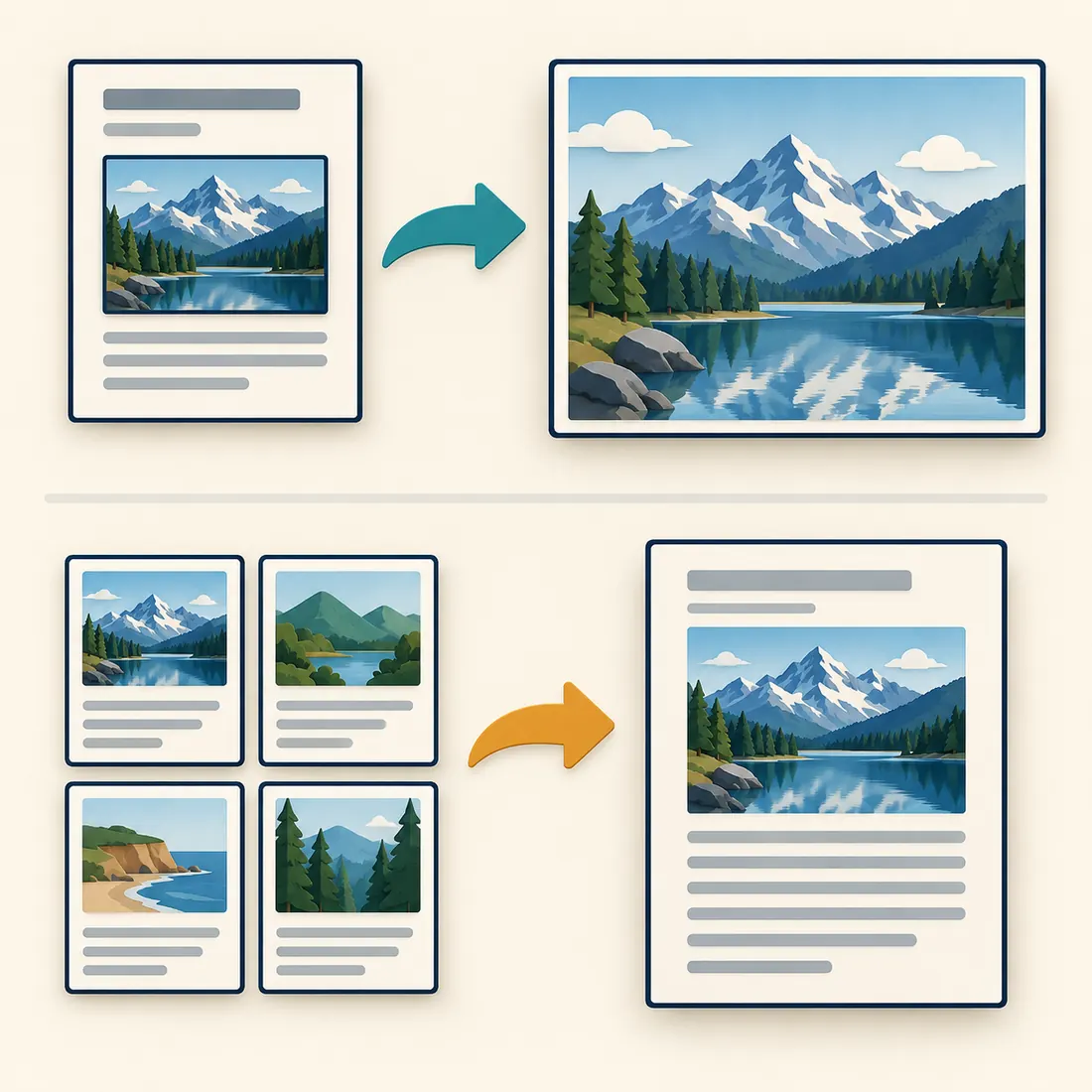
Top: open the larger picture. Bottom: open the article behind the thumbnail. These are separate link settings.
Choose what happens on a single post
Full-size image file
Use this for photographs, drawings or screenshots with detail worth inspecting. If the displayed image already uses the full-size file, or the original is no larger, the plugin leaves it unlinked.
Attachment page
Open the WordPress page associated with the image. Check the actual destination first: attachment-page behaviour depends on your site’s settings, and the page should offer something useful.
No link
Leave a decorative featured image unlinked. This setting controls links the plugin adds; it does not remove a link already supplied by your theme or block.
A link already in place stays in place
If a theme or Featured Image block already links an image, change the destination there. The plugin preserves that link. Classic theme archive thumbnails also remain under the theme’s control.
Set it up, then follow the clicks
After activation, open Settings > Clickable Featured Image. Select the public post types with featured-image support that you want to affect, then choose the single-image and Query Loop destinations.
Check a single post
Click its featured image. Confirm that it opens the intended file or attachment page, or stays unlinked. Repeat on a page if pages are enabled.
Check a Query Loop and an archive
Click a thumbnail in a Query Loop embedded in a page, then check an archive your site uses. The loop follows this plugin’s setting unless the block already owns the link; a classic archive follows its theme.
Want an image overlay?
Choose the full-size image file and use a separate lightbox plugin. Click the actual featured image to test the combination. Clickable Featured Image supplies the link; the lightbox supplies the overlay.
Check the requirements
The compatibility minimums are WordPress 5.4 and PHP 7.4. Query Loop features apply where WordPress provides that block. Use maintained software versions, and a theme that supports standard WordPress featured images.
Give the next click a clear destination
Install Clickable Featured Image, choose the link rules, and test one image in each place your readers use it.