
Change the shared design. Keep pages in step.
When the same heading, spacing or contact section needs changing across your site, fix it where it is shared. MCP Abilities – GeneratePress lets your AI assistant inspect and update native theme settings, Elements and GenerateBlocks Global Styles.
One shared style can reach several pages
Imagine a service site whose section headings are too large on mobile. If those headings use the same typography rule or Global Style, the assistant can inspect that shared control and change it once.
The setting stays in GeneratePress or GenerateBlocks, where your team can edit it in WordPress. First establish which pages use it: the same shared change can affect a landing page, a service page and a contact page.
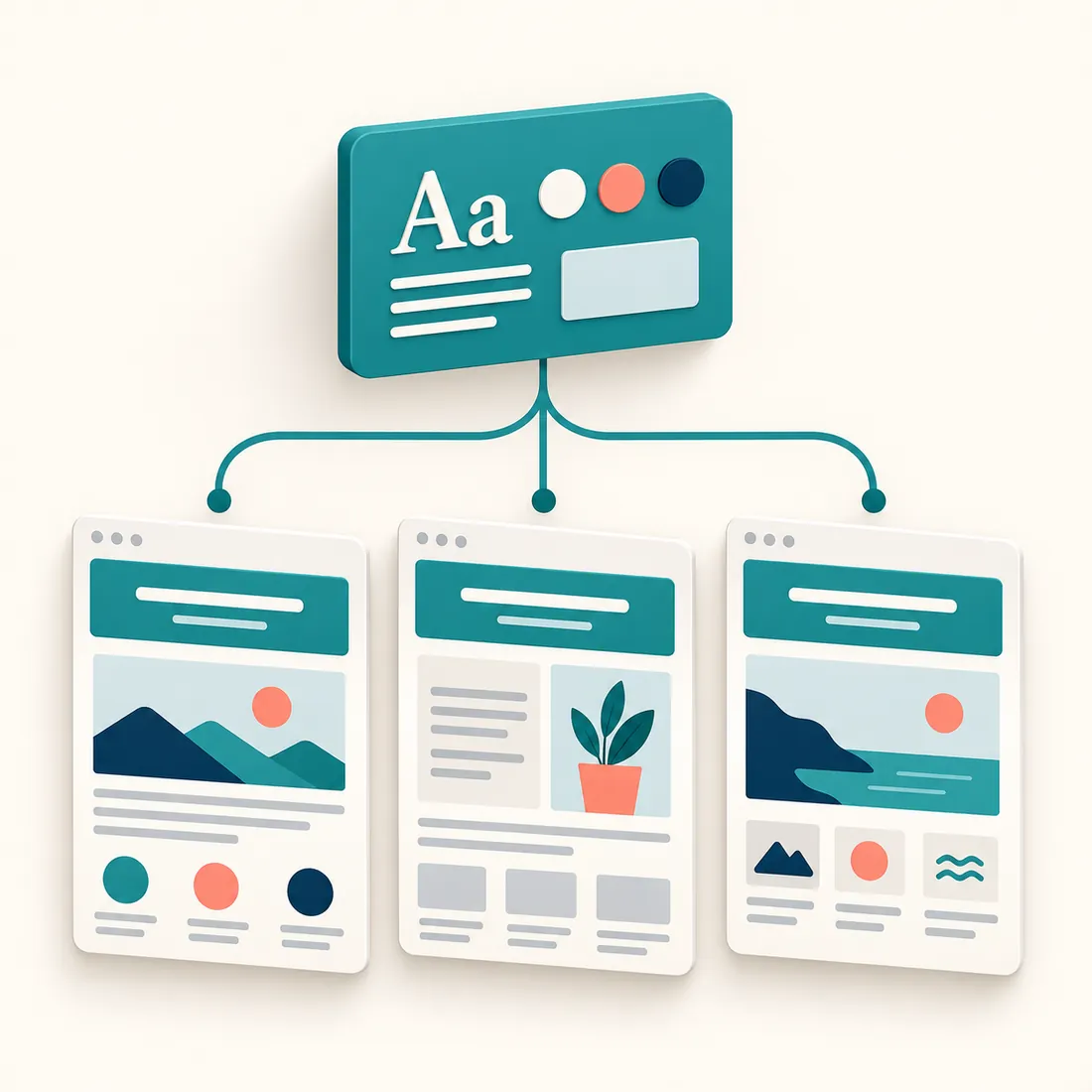
One shared control reaches each page that uses it. Separate local settings remain separate.
Match the change to the native control
Start with the visible problem, then inspect the object that controls it. These three tasks belong in different places.
Site typography and spacing
Read the active theme settings and available keys. Update the relevant global design setting or GenerateBlocks Global Style when the change should apply wherever that setting is used.
A reusable contact section
Read the GeneratePress Element and its display conditions. Update the shared Block Element when the same section should change on every page where those conditions place it.
A duplicate page title
Check whether GeneratePress adds a title above the heading in the page content. Use that page’s native title setting when the duplicate belongs to that page.
A saved setting is only half the check
After the change, read the saved object back and refresh the relevant generated styles. Then inspect the pages that use it at desktop and mobile widths, in each colour mode your site supports.
For the heading example, check line breaks and the gap to the next paragraph. For a contact section, check that its image, copy and button remain balanced and appear on the intended pages. A successful save does not establish that the layout works.

The same saved design must still work in a wide browser and on a narrow screen.
Check what your site has installed
You need WordPress 6.9 or later, PHP 8.0 or later, the WordPress Abilities API and an authenticated MCP connection. The usual connection uses the WordPress MCP Adapter and MCP Expose Abilities.
GeneratePress theme controls require GeneratePress. Premium modules, current GenerateBlocks Global Styles and Overlay Panels require the corresponding Premium or Pro products. Those products and licences are separate; the add-on reports what is available on the actual site.
Your connected WordPress account needs the capability required by each action. Most theme design actions require permission to edit theme options; broader option changes require permission to manage settings. Start with inspection and agree the affected scope before a write.
Start with one design change you can verify
Install the add-on, connect your assistant and name the result you want. Ask it to inspect the current control and the pages that use it before making the change.