
WordPress RSS automation
Publish once. Stop copying the same link.

The article is live. The copying can stop.
You publish an article, copy the title, find the link, paste both into a task and repeat the job for the newsletter. None of that copying improves the article.
A feed-based automation can do this transfer when a new item appears. The original stays on your website; the next draft or task appears where your team works. The feed reader can be a hosted service or a process you run yourself.
- Publish: WordPress makes the article available.
- Detect: the reader finds a new feed item.
- Transfer: selected fields create a draft or task.
- Edit: someone adapts the result to its destination.
A reader that checks periodically will introduce a delay. Choose the trigger around the timing the job needs.
Check what the feed actually contains.
WordPress includes native feeds. With common permalink settings, the main post feed is usually at /feed/. Confirm the address on your site and open it while signed out. XML in the browser is normal.
Find an intended public post. Check its title, link and language. Inspect whether the feed supplies an excerpt or the full article, and whether the image is present in a field your reader can use.
A public post feed is not a draft preview. Use a post that is ready to be public, or an isolated test feed, when testing detection. Keep the test destination private so you can inspect the output before it reaches an audience.
Choose the destination before the automation.
One simple action
IFTTT’s new-feed-item trigger supplies fields such as the entry title and URL. Check the exact destination action, account requirements and current plan limits before connecting it.
Several conditional steps
If items need filtering, branching or review, test those steps as one complete route. A hosted automation tool and a self-hosted feed reader are both possible approaches. Choose one you can maintain and diagnose.
A social publishing queue
Create a queued draft if that is the item your team needs. Check the actual caption, image, link and selected social account. An integration listing alone does not establish that these fields arrive correctly.
A newsletter draft or task
Send enough context for the next person to use. Creating a newsletter draft and sending a newsletter are different actions. Choose deliberately when one feed supplies several audiences.
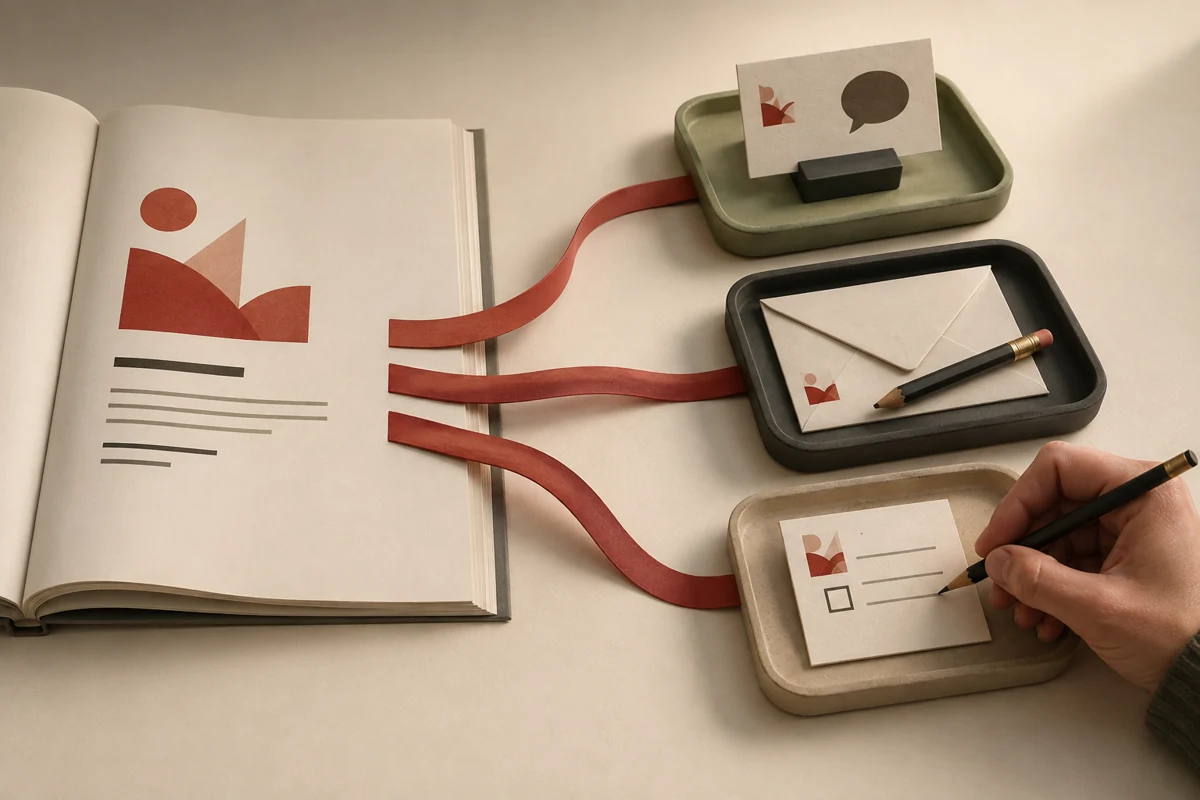
One article, several drafts, a clear source.
The illustration shows the principle: the article stays at its source while selected information becomes a draft at each destination. Each destination still needs the right wording and fields.
Start with one private task. The following is a sample test, not a claim that every service supports the same actions. Add another destination only after inspecting the first result.
Build the first route
- Select the feed. Confirm which articles the tool sees.
- Check the starting point. Find out whether enabling it processes existing entries or only future ones.
- Map the fields. For a private “Ready to share” task, use the article title as the task title and its public URL in the description. Add the excerpt only if it reads well.
Test the actual result
- Publish a ready article. Wait for the configured check, then inspect the destination item.
- Check for repeats. Confirm that a later check does not create the same item again. Test how an edit is handled.
- Find the failure report. Know where a failed action appears and who responds.
Measure the page, not the plugin count.
An external reader can request the RSS feed without adding JavaScript to every visitor’s article page. It still depends on feed requests and a working destination connection.
A WordPress distribution plugin may run in the background and add no public assets. Fewer plugins alone does not establish that a site is faster.
- Check for added scripts or styles on article pages.
- Compare the same page before and after under similar conditions.
- Check whether publishing waits for a slow remote request.
- Include maintenance and fault-finding in the effort involved.
Choose a setup whose behavior you can see, test and stop. The useful distinction is how it runs, not where its product category sits.
A successful first run is only the start.
The same item appears twice
Check whether two automations watch the same source. Also check the item’s stable identifier, often called guid: IFTTT documents that a changed GUID can trigger an existing item again. Inspect the destination before manually repeating an uncertain action.
An article never arrives
Check whether it reached the selected feed, whether the automation is active and whether the destination connection works. Feeds often contain only recent entries; after a long interruption, compare what is missing before catching up.
The copied text is wrong
Compare the feed field with the destination. An excerpt may contain markup or be too long for a caption. Correct the mapping or create an editable draft instead of distributing an awkward fragment.
An edit does not travel
A new-item trigger may not update an earlier copy. Decide how corrections and removed articles reach each destination. Changing the WordPress article does not establish that every shared version has changed.
The feed is mistaken for a backup
A saved feed item is a partial content copy. It may omit media files, revisions, settings and older posts. Keep a separate WordPress backup and a tested way to restore it.
Automate the copying. Keep the judgment.
Record the feed, destination, field mapping, expected delay and person responsible for failures. Keep connection credentials in the account controls.
Recheck after changes to the feed, language setup, permalink structure or destination account. Inspect a real output occasionally even when the automation reports success.
The first useful automation is usually the transfer you repeat every time you publish. Let it carry the title and link. Spend the saved attention on making the next message worth reading.