
WordPress bug fix
No Self Ping: Fixing the Additional URLs Type Check
When No Self Ping ignores Additional URLs, the setting may be correct but the saved value may be handled as the wrong type. This note explains the narrow diagnosis, a safe test boundary, and why an official update is preferable to a permanent local patch.
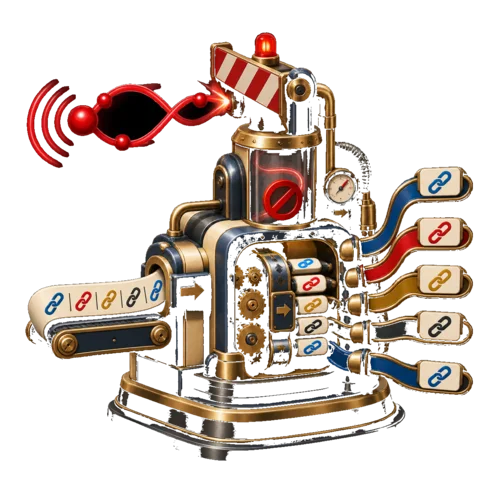
The diagnosis
The setting can be correct and still fail
The Additional URLs feature is meant to keep selected URLs out of self-ping behaviour. In the affected code path, those URLs continue to receive pingbacks even when the setting is filled in.
The failure is after configuration: WordPress stores the option as a string, while the plugin checks for an array before processing it.
The mechanism
Read the failure as a three-step type mismatch
The behaviour follows a fixed path. Once the stored value is treated as the wrong type, the feature never gets a chance to split, trim, and compare the URLs.
WordPress saves the value
The Additional URLs option is sanitised and stored as a string in the affected path.
The guard rejects it
The plugin checks for an array, so the condition fails before the setting can be processed.
The exclusion never runs
The string is not split into separate URLs, and the selected URLs are not excluded from pinging.
The useful distinction
What the symptom tells you
Compare the visible symptom with the stored value and code path before changing settings or files.
What you see
Additional URLs still receive pingbacks. The setting looks ignored, so it is easy to suspect a missed configuration step.
What the code does
The saved string never passes the array check. Processing stops before URLs can be separated, trimmed, and excluded.
Before a temporary patch
A small code change still needs a safe boundary
The change is small, but it lives in a plugin file that a later update can replace. Test it in staging or version control, keep a rollback, and treat it as temporary maintenance.
Check these points
Locate the exact plugin version, file, and condition involved.
Back up the site or use version control before changing plugin code.
Change only the condition that blocks the saved string, and keep the patch out of production until it passes a focused test.
Test a positive case, a non-matching URL, a blank value, and multiple URLs after the change.
Track the official plugin update and remove the local patch when the maintained fix is available.
Reference
Quick answers
The issue is narrow, but the safe response depends on whether you can test and maintain a temporary plugin edit.
Why does the Additional URLs setting fail?
The saved setting is handled as a string, but the plugin checks whether it is an array before processing it. That condition never passes in the affected path.
What is the one-line fix?
The affected path needs to accept a non-empty saved string, split and trim its URLs, and then process the list. Apply the maintained fix for the exact plugin version rather than copying a line into an unknown version.
Should every user edit the plugin file manually?
No. Manual edits are temporary and can be overwritten by updates. Use a patch only in a controlled environment if you understand the rollback and maintenance risk, or wait for an official release.
The maintenance decision
Choose the narrowest safe fix
If the Additional URLs feature is the confirmed failure and you can test plugin files safely, a narrow condition fix addresses the actual cause. Keep the change in version control, verify positive and negative cases, and remove it when the official update is available.
If you cannot maintain a local patch, wait for the official update.