
WordPress MCP
Let AI perform approved WordPress actions
MCP Expose Abilities is an open source WordPress plugin layer that lets AI assistants call named, approved operations. Site owners can expose useful work without opening a vague admin doorway.
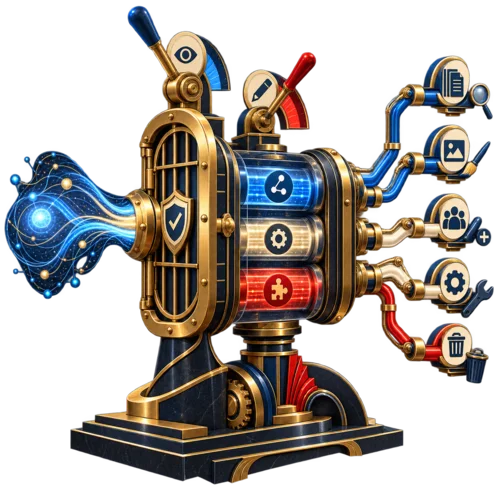
The useful boundary is an approved action
An AI assistant can suggest a WordPress change, but the suggestion still leaves someone to apply it. MCP Expose Abilities closes that gap by exposing concrete operations as named abilities that an assistant can call.
That does not create a general admin doorway. The site owner chooses which abilities exist, which account authenticates, and which operations may read or change the site.
Three layers, three jobs
Keep the connection layer, the WordPress ability framework, and the site-specific operations distinct. That makes the assistant surface easier to inspect.
MCP connection layer
Connects compatible AI tools to registered WordPress abilities. It is part of the surrounding connection setup, not a Devenia-owned ability add-on.
WordPress Abilities API
Provides the WordPress framework for registering concrete abilities with clear names, inputs, outputs, and permission boundaries.
Devenia ability plugins
Provide focused operations for content, media, menus, builders, SEO, security, and publishing operations. Install only the plugins that match the site’s real stack.
Keep authority visible
Letting an assistant change a WordPress site makes authentication, permissions, and narrow ability selection more important. The boundary must remain visible before an operation is called.
Authenticating account
State which user account authenticates the assistant.
Required capability
State which WordPress capability each ability requires.
Providing plugin
State which plugin or add-on provides the operation.
Read or write
State which operations are read-only and which can change the site.
Excluded abilities
Do not install abilities that the site does not need or should not expose.
What the plugin layer can expose
The value is the short path from an AI instruction to a specific WordPress operation that can be inspected and checked.
Useful surfaces include:
Content work
Create, inspect, update, and patch posts or pages through named operations instead of copy-pasting by hand.
Media and metadata
Inspect media and update alt text while keeping the change tied to the actual WordPress media library.
Builder-aware work
Use focused add-ons for Elementor, GeneratePress, GenerateBlocks, and other site-specific surfaces when the site uses them.
Permission checks
Keep the WordPress permission model in the path for every write operation.
Focused add-ons
Install only the ability plugins that match the site’s builders, SEO tools, forms, security, or publishing operations.
Start with the smallest useful surface
Add authority in stages. Each step should make the next operation easier to inspect, not harder to understand.
Install the public layers
Install the required public WordPress Abilities API and MCP connection layer.
Install Devenia core
Install the Devenia core ability plugin for WordPress-native operations.
Add matching extensions
Add only the Devenia plugins that match the site’s builders, SEO tools, forms, security, or publishing operations.
Test reads first
Test the connection on staging, inspect current state, and confirm authentication and permissions before allowing a write. Record the expected result so a failed action is easy to trace.
Review write operations
Review every write-capable ability as part of the site’s operational surface before it is used.
Keep the reference current
Use the current Devenia plugin page and GitHub release as the active reference. Verify the WordPress and public result after a visible write, and keep a rollback path for changes that affect production content.
Quick answers before you expose an ability
Is MCP Adapter a Devenia plugin?
No. Treat the adapter as part of the public MCP and WordPress connection layer. Devenia provides the specific WordPress abilities and add-ons.
Should every site install every add-on?
No. Install only the abilities that match the site’s actual stack and operational needs.
What is the safest first operation?
Start with read operations, verify permissions, and only then allow the write operations the site genuinely needs.
Read the public contract before adding a write
Map the site’s real operations, install only the matching Devenia plugins, test reads, and review each write-capable ability. Start with the official WordPress Abilities API documentation for the public layer; use the current Devenia plugin page and GitHub release as the implementation reference.