
Plugin release
Publish cleaner LinkedIn posts from WordPress.
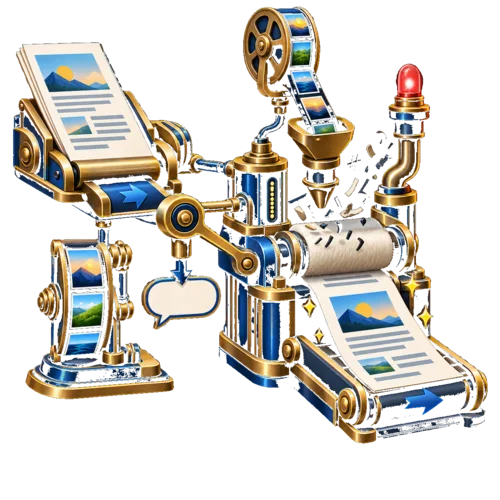
What changed in 1.3
Control the LinkedIn version before you publish.
Version 1.3 addresses three predictable failures: a URL in the wrong place, a missing or generic image, and markup leaking into the text.
Use the controls below as a short pre-publish check. They do not promise reach; they make the output consistent enough to measure.
Use this when you need:
The three controls
Fix one output problem at a time.
Separating link placement, image choice, and text cleanup makes each change easy to test and roll back.
URL in first comment
Enable this when you want the post body to lead and the WordPress URL to follow as comment one. Compare it with your normal link-post format on the same account.
Image fallback chain
The fallback order is featured image, first content image, selected default, then site logo. Review the default image so a missing featured image does not create an accidental preview.
Cleaner extracted text
Shortcodes and markup are removed before text is sent to LinkedIn. Preview one post with custom markup; unusual blocks may still need a manual check.
The publishing risk
A post can look right in WordPress and still arrive wrong on LinkedIn.
LinkedIn receives a separate version of the post. The URL, image, and extracted text can change that version even when the page itself looks correct.
Treat each control as a test variable. Change one setting, publish a test, and compare the result with your current baseline.
Check these failure modes:
Link placement
Missing image
Leaked markup
Generic fallback
Unproven reach
Setup
Set one control, test one real post.
Start with the setting that solves your biggest publishing problem. Then test the image and text fallbacks on a real post.
Record the account, post type, settings, and result. This gives you a usable baseline instead of a vague impression.
First comment URL
Default image
Fallback order
Text cleanup
Reach testing
Scope
Use what is available, and label what is not.
Version 1.3 improves normal single-image post publishing. Carousel support is not part of this release.
Available in v1.3
First-comment URL publishing, media-library fallback images, and shortcode/markup stripping during excerpt extraction.
Still under consideration
Carousel posts, PDF-to-carousel creation through LinkedIn’s API, and other formats can be evaluated after single-image output is reliable.
Measurement
Measure the account’s output, not a generic promise.
The useful question is whether the account gets cleaner, more consistent posts. Reach may change for many reasons, so keep the test narrow.
Track impressions, reactions, comments, clicks, and image appearance against a recent baseline from the same account.
Test first-comment URLs
Keep a comparison
Check the image
Inspect the text
Track the baseline
Record the settings
Frequently asked questions
What does LinkedIn Autoposter 1.3 change?
What is the main feature in LinkedIn Autoposter v1.3?
It can put the WordPress URL in the first LinkedIn comment instead of in the main post body.
What happens if a WordPress post has no featured image?
The plugin checks the first content image, the selected default image, and then the site logo.
Does this guarantee better LinkedIn reach?
No. It makes output easier to test. Compare reach and engagement with the account’s own baseline.
The next step
Choose a format, test it, and keep the evidence.
The release is useful when it removes a known publishing problem and gives you a repeatable way to check the result.
Start with one post type and one account. Keep the setting that produces cleaner output without hiding the trade-offs.