
Devenia Learn / Dictionary
Website: make the next step clear
A website connects related pages and resources under one domain. Its job is to help people find information, use a service, or take the next useful action.
Start with the page or question. We will help you decide what to check next.
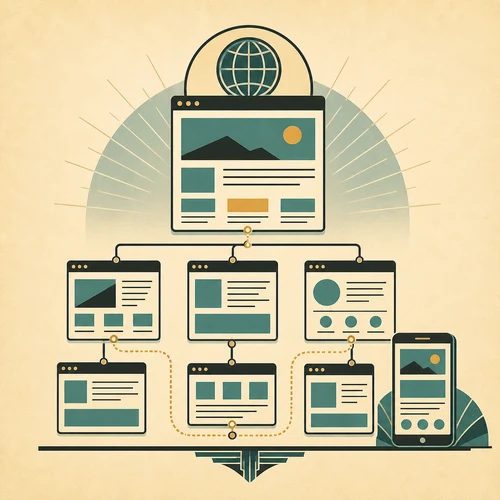
One website, several connected pages.
A library’s website can contain a home page, opening hours, a catalogue and an events calendar. Each page answers a different question, but the links let a reader move between them.
A parent looking for a Saturday story session needs the age group, time, branch address and booking details. The site works for that task when those details lead to an available session and a clear way to reserve a place.
Follow a visitor’s route
Use the library example to check a site from arrival to the action the visitor came to complete.
Start on the relevant page
Open the story-session page directly. Can you identify the library, the intended age group and the next date without visiting the home page? People may arrive through a shared link or search result.
Follow the next step
Follow the booking link and check that it names the same session, date and branch. Use a test booking if available. The confirmation should explain whether a place is reserved and where to go.
Common questions about a website
Back to the dictionary.
How is a website different from a web page?
A website is the connected collection; a web page is one part of it. The library website includes several pages, while the Saturday story-session page describes one activity.
Is a domain name the website?
A domain is the name used in a web address, such as example.com. The website is the content and services reached through that address. Registering a domain alone does not create the library’s catalogue or booking pages.
What should I check first?
Write down one task, such as finding and booking a suitable story session. List the facts needed to complete it, then check whether the pages supply them. The typical website guide shows how to turn tasks into a page list.
How can I review whether a website works?
Ask someone unfamiliar with the site to complete the task on a phone. Watch which links they choose and where they need help. Record missing details and confusing labels instead of asking only whether they like the design.
What should I check after an edit?
After changing a page, repeat the same task from the same starting link. Check related pages too: moving a booking page can leave an old event announcement pointing to the wrong place.
Need a practical next step for a website?
Send the starting page and the task a visitor cannot complete. For example, say whether they cannot find a session date, reach the booking form or tell if a booking succeeded.