
Before the next traffic test
Fix the Buying Path Before You Buy More Traffic
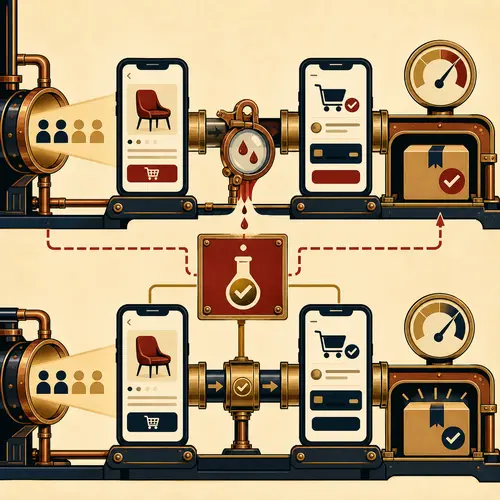
Follow the purchase you expect a customer to make
Choose an available product and use a phone without signing in as the shop administrator. Start on the page that a visitor would reach from the search result or advertisement.
For a desk lamp, the buyer may need the dimensions, light source, plug type, delivery options and return information. A beautiful photograph cannot answer all of those questions. Write down what you cannot establish from the page before you start changing the design.
Continue to the basket and checkout. Use the shop’s supported test process for payment and order confirmation so the exercise does not accidentally trigger a real shipment. Check both what the customer sees and what the shop records.
Record the failure at the step where it happens
A useful test note says what you did, what should have happened and what happened instead. Include the page address, device and selected product option.
Product choice
Can you identify the exact item and variant? Can you find the information needed to choose it? Record missing measurements, unclear options or an image that hides the detail you need.
Basket and delivery
Does the selected variant reach the basket? Can you change the quantity and see the applicable delivery information? For the lamp example, record if the basket silently switches to a different plug option.
Payment and confirmation
Can you complete the supported test payment? Does the customer see a confirmation, and does the shop receive the corresponding order? Record the exact error or missing result.
Repair one observed obstacle and repeat the route
“Checkout is confusing” is difficult to act on. “On a phone, selecting a delivery method hides the Continue button behind the address panel” identifies a step someone can reproduce.
- Confirm the problem on the affected page and device.
- Correct the cause: a missing product answer, an unusable control or a failed order step.
- Repeat the route from the original landing page, including the affected option.
- Check that the order and confirmation still agree after the repair.
Keep the before-and-after notes. One successful test shows that this route can work under those conditions. It does not prove that every device, address, payment method or product option works.
Choose a traffic test with a clear question
For organic search
Ask whether a useful category or product page is reaching relevant searches. Record the pages changed and follow their search visibility over time. Google’s SEO guidance says changes can take from hours to months to appear, and not every change produces a noticeable result. A quiet weekend is not enough to judge the whole effort.
For Search ads
Ask whether a defined search audience reaches the intended page and completes the buying route. Google Search campaigns can show ads to people searching for products and services. Set the audience, destination, spending limit and review point before starting; then inspect the visits and orders produced.
SEO and advertising can run together. For a small test, limiting simultaneous changes makes the result easier to interpret. Keep a record of other promotions, stock changes and page edits rather than assuming the chosen channel is the only influence.
Check that the order appears in the measurement
Arrival
Record visits to the intended landing page, with the traffic source where your measurement supports it. A campaign that sends visitors elsewhere is testing a different page.
Progress
Check product selection, basket activity and checkout starts. Treat a missing measurement as a measurement problem until you know whether the action itself failed.
Outcome
Compare recorded purchases with the shop’s order records. Distinguish a completed order from a click on a payment button, and account for test orders, cancellations and returns when reviewing the result.
Do not label a channel unprofitable from visits alone, or successful from one order. Consider the test cost, the value of completed orders and how much evidence you have.
Send the step that failed
If you need help, send the store address and a short reproduction: “On this product page, I selected this option, tapped this button and saw this result.” Include the device and say what you expected.
That gives Devenia a concrete starting point for checking the product information, layout or order process.
Which part of your buying route have you tested most recently: the product choice, delivery step or order confirmation?